
The Movements view shows increases and decreases in the number of shares held by individual shareholders over a selected period for movements of 50,000 shares or above.
A movement will show either an increase in the number of shares held, such as a purchase or a decrease in the number of shares held, such as a sale.
Use this view to identify significant changes across your shareholder base and understand which holders have increased or reduced their positions.
You need to identify significant acquisitions and disposals over a selected period, so you can understand changes in your shareholder base and decide whether further review, engagement or reporting is needed.
View shareholder movements
Open Registry in the left-hand sidebar
Select the company or stock you want to review.
Choose the relevant share class, where applicable.
Select the start and end dates for your analysis.
Apply any additional movement filters available.
Apply your filters.
Review the acquisitions and disposals shown in the Movements table.
Understanding the results
The Movements table may include:
Whether the movement is an acquisition or disposal
Investor Code
Holder name
Previous holding
Current holding
Number of shares acquired or disposed of
Percentage movement
Previous percentage of issued capital
Current percentage of issued capital
Movement in percentage of issued capital
Previous holder ranking
Current holder ranking
Things to consider
A movement shows a change in the number of shares recorded against a holding during the selected period. It does not necessarily explain why the transaction took place or identify the underlying beneficial owner.

Choose the company and period you want to analyse.
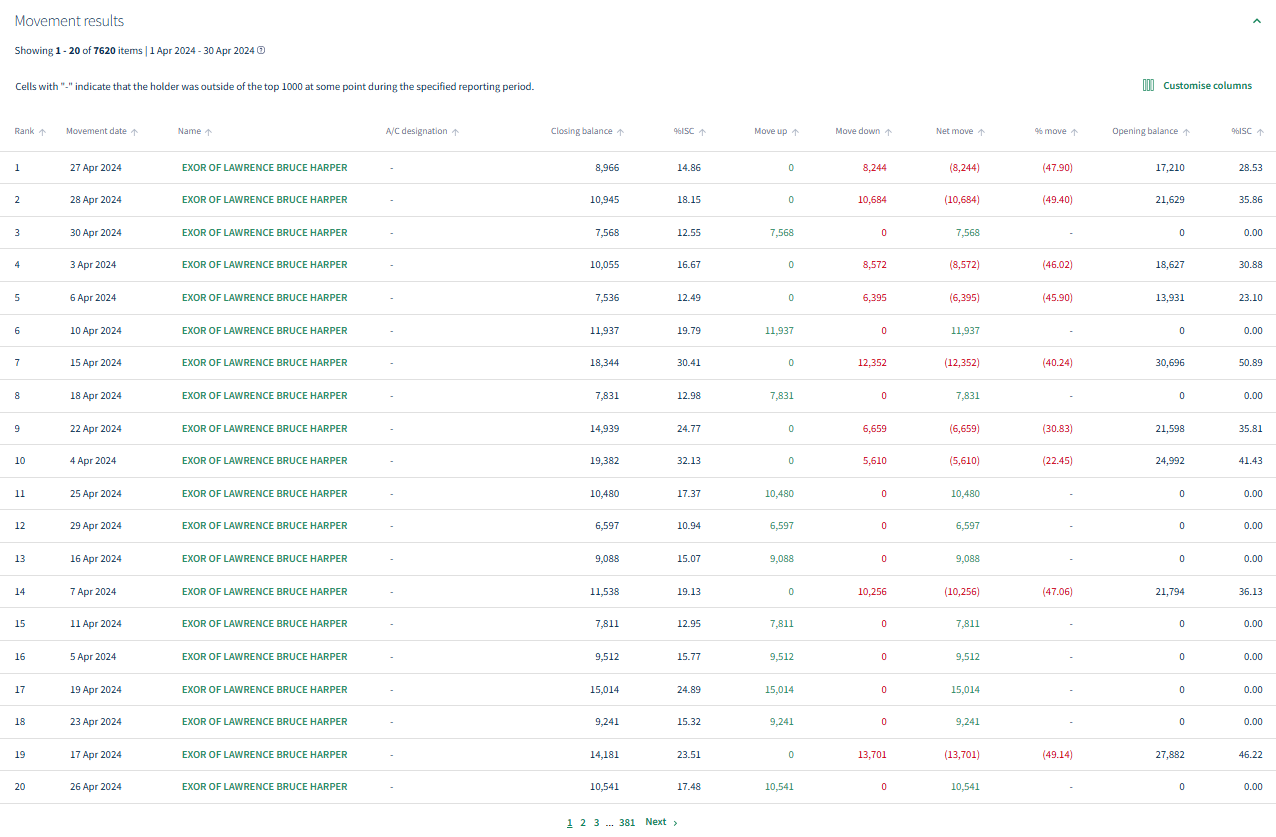
Review increases and decreases in individual shareholder holdings over the selected period.
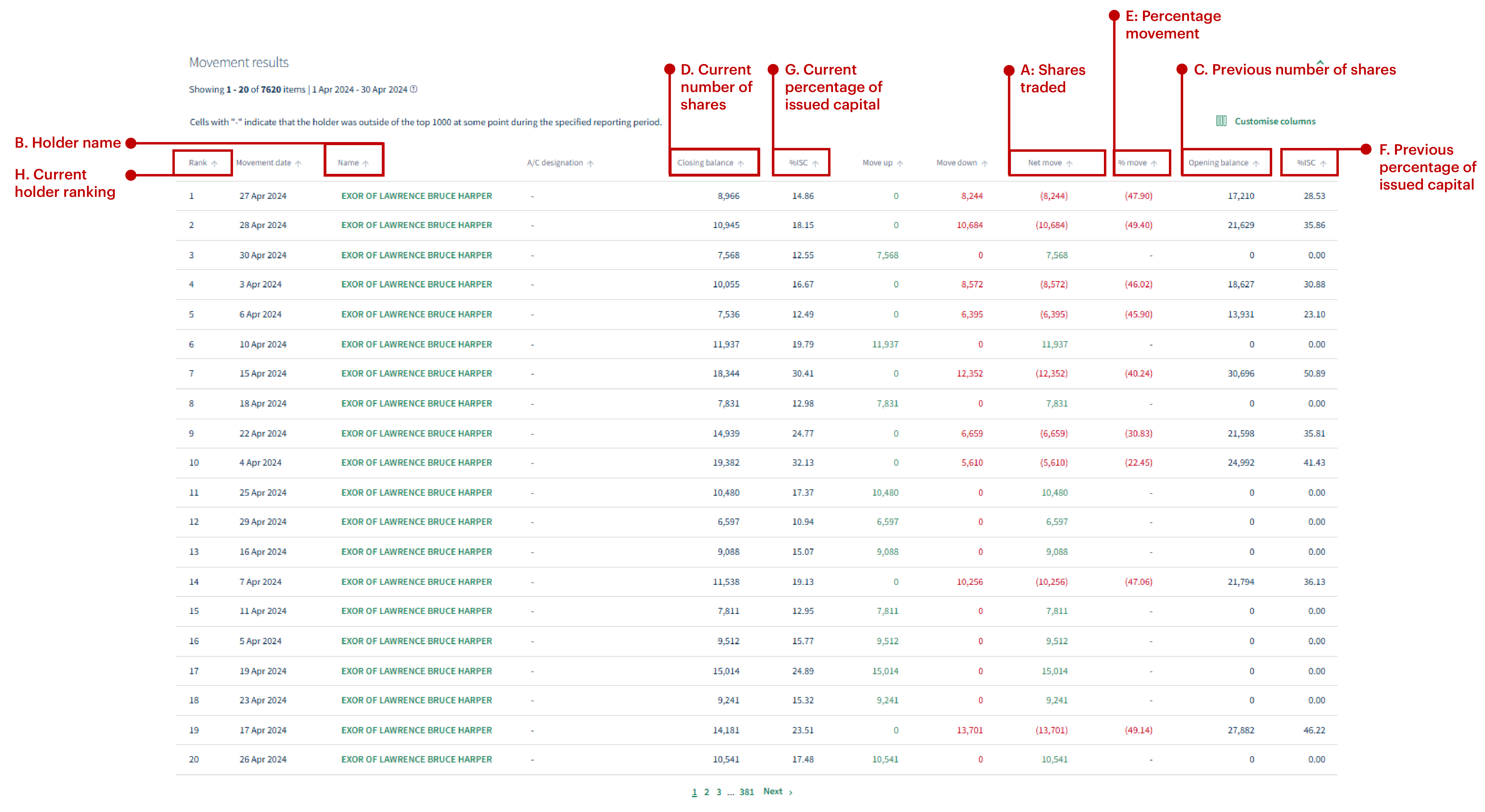
Use the movement details to understand how a shareholder’s holding and register position have changed.
To find an individual holder and open the information available for their record.
About
Privacy Policy
Cookie Notice
MUFG Corporate Markets
A division of MUFG Pension & Market Services

We'll also set a temporary cookie to hide this notice.


